

That persistent chirp from your smoke detector at 3 AM isn’t just annoying, it’s trying to tell you something important. Before you grab a broom handle and start swatting at the ceiling, take a breath. Your smoke detector keeps beeping for a reason, and ignoring it could put your household at risk.
In most cases, a smoke detector beeps because of a low battery, an expired unit reaching its end-of-life cycle, or environmental interference like dust, humidity, or temperature fluctuations. A single chirp every 30 to 60 seconds almost always means a dying battery. A pattern of multiple chirps, or a chirp that won’t stop after a battery swap, usually signals that the entire unit needs replacement. Identifying the specific beep pattern is the fastest way to solve the problem.
This guide walks you through every common cause, the exact steps to silence the beeping, and how to know when it’s time to replace your detector entirely.
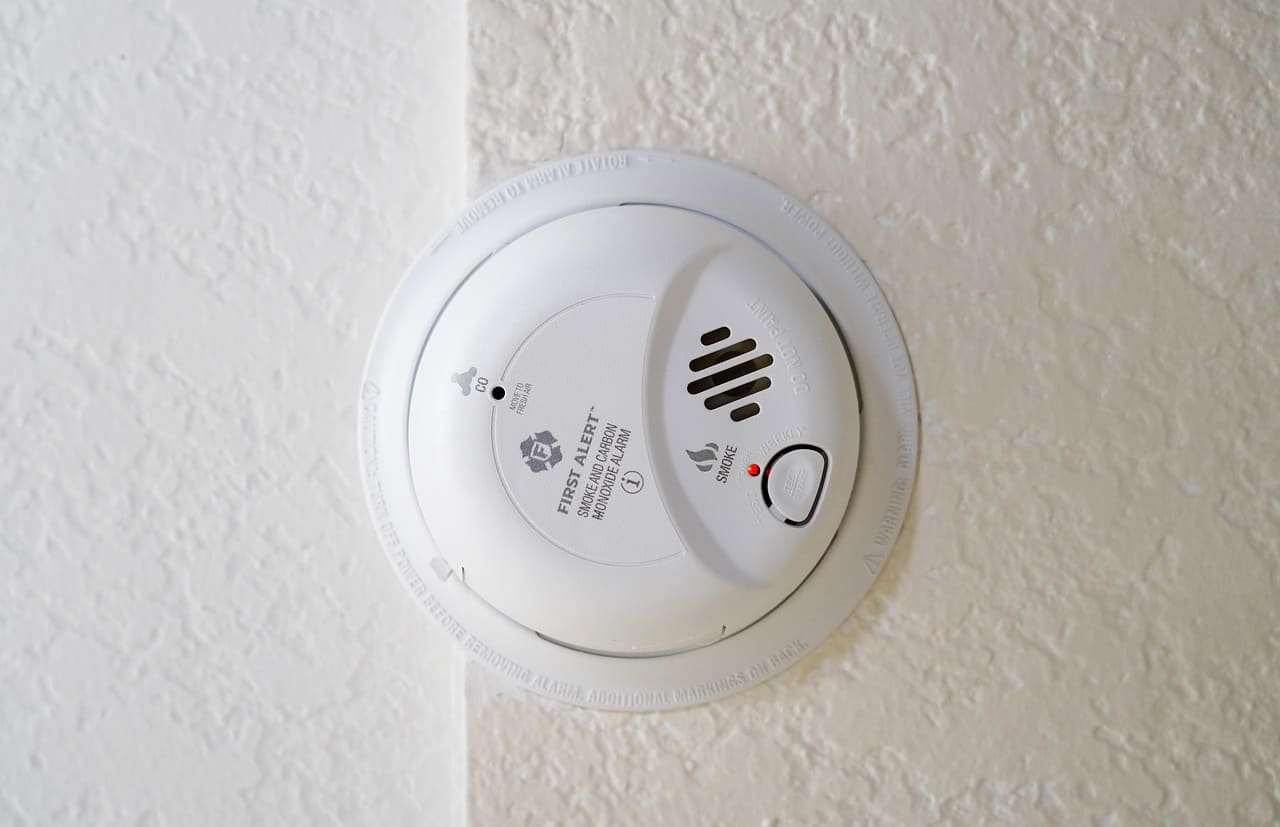
Why Your Smoke Detector Is Beeping
Smoke detectors use different beep patterns to communicate different problems. Understanding what your detector is saying helps you respond correctly, and quickly. Let’s break down the three most common reasons.
Low Battery Warning
The single most common reason your smoke detector keeps beeping is a low battery. Most battery-powered and even hardwired detectors with backup batteries will emit a single chirp every 30 to 60 seconds when the battery runs low. This chirp is deliberately annoying. Manufacturers design it that way so you won’t ignore it.
According to the National Fire Protection Association (NFPA), three out of five home fire deaths occur in properties with no working smoke alarms or no smoke alarms at all. A dead battery effectively makes your detector useless. So that chirp? It might save your life.
Most 9-volt batteries in smoke detectors last about 12 months. Lithium batteries in sealed units can last up to 10 years. If you haven’t changed the battery in over a year, that’s almost certainly your culprit. Don’t just pull the battery out and go back to sleep, replace it immediately.
One quick tip: always keep spare 9V batteries in your home. The Energizer MAX 9V Batteries (4-pack) is a reliable option that many fire safety professionals recommend for smoke detectors.

End-of-Life Signal
Smoke detectors don’t last forever. Most units have a lifespan of 8 to 10 years. After that, the internal sensor degrades and the detector can no longer reliably detect smoke. When a unit reaches end-of-life, it chirps in a distinct pattern, often a series of five beeps or a chirp that continues even after you install a fresh battery.
Flip the detector over. You should find a manufacture date printed on the back. If the unit is older than 10 years, no amount of battery swapping will stop the beeping. The detector is telling you it’s done.
The U.S. Fire Administration recommends replacing all smoke alarms every 10 years. Mark the install date on your calendar or write it on the detector itself with a permanent marker. It’s a small step that prevents a lot of confusion later.
Many homeowners overlook this entirely. They replace battery after battery, growing increasingly frustrated, when the real solution is a brand-new unit.
Environmental Triggers and Malfunctions
Sometimes your smoke detector beeps and it’s not the battery or the age. Environmental factors cause a surprising number of false alarms and phantom chirps.
Common environmental triggers include:
- Dust and debris clogging the sensor chamber
- High humidity from bathrooms or kitchens
- Temperature swings near HVAC vents or drafty windows
- Insects crawling inside the detector housing
- Steam from cooking or hot showers
If your detector sits within 10 feet of a kitchen or bathroom, you’re far more likely to deal with nuisance beeping. Try vacuuming the detector gently with a soft brush attachment to remove dust buildup. You can also relocate the unit further from moisture sources. User on r/homeowners:
“My smoke detector kept going off every time I took a shower. Moved it 12 feet down the hallway and never had the problem again.”
Electrical interference from nearby appliances or fluorescent lighting can also cause chirps in some models. If you’ve ruled out batteries and age, consider the detector’s environment.
How to Stop a Smoke Detector From Beeping
Now that you know why it’s beeping, let’s fix it. These steps work for most battery-powered and hardwired models.
Replacing the Battery
Start with the simplest fix. Twist or slide the smoke detector off its mounting bracket. Open the battery compartment and remove the old battery. Insert a fresh 9V alkaline or lithium battery, make sure the terminals line up correctly.
Once the new battery is in, press and hold the test button for 3 to 5 seconds. You should hear a short beep or series of beeps confirming the detector is working. If the chirping stops, you’re done.
If you use a lot of batteries across your household devices, consider tracking replacements with a simple reminder app on your phone. An app like Google Calendar (free) lets you set recurring annual reminders for battery changes across all your detectors, a small habit that prevents late-night surprises.
Don’t mix battery types or use rechargeable batteries in smoke detectors. Rechargeables lose voltage faster and may not trigger the low-battery warning in time. Stick with standard alkaline or lithium.
Also, avoid the temptation to just remove the battery without replacing it. According to the NFPA, almost one-quarter of smoke alarm failures result from disconnected or missing batteries. That’s a dangerous gamble.
Resetting the Smoke Detector
Sometimes a fresh battery isn’t enough. Residual charge in the detector’s circuit can keep the chirp going. You need to reset the unit.
Follow these steps:
- Remove the detector from its bracket.
- Take out the battery.
- Press and hold the test button for 15 to 20 seconds. This drains any remaining charge.
- Reinsert the battery (or install a new one).
- Reattach the detector to the bracket.
- Press the test button briefly to confirm it’s working.
For hardwired models, you’ll also need to turn off the circuit breaker that powers the detector before performing the reset. Once the power is off, follow the same steps above, then flip the breaker back on.
If the beeping continues after a reset and a new battery, the detector is likely at end-of-life. Time for a replacement.
When to Replace the Entire Unit
You’ve swapped the battery. You’ve reset the detector. It still won’t stop chirping. That’s your sign.
Replace any smoke detector that’s more than 10 years old, shows visible discoloration or damage, or continues beeping after troubleshooting. Don’t second-guess this, a malfunctioning detector is worse than no detector at all because it creates a false sense of security.
Here’s a quick comparison of the two main smoke detector types to help you choose a replacement:
| Feature | Ionization Detector | Photoelectric Detector |
|---|---|---|
| Best for detecting | Fast-flaming fires | Slow, smoldering fires |
| Response speed to flames | Faster | Slower |
| Response speed to smoke | Slower | Faster |
| False alarm frequency | Higher (cooking, steam) | Lower |
| Recommended placement | Bedrooms, living areas | Hallways, near kitchens |
| Average price | $10–$20 | $15–$30 |
For the best protection, many fire safety experts recommend dual-sensor detectors that combine both technologies. The First Alert BRK 3120B Hardwired Dual-Sensor Smoke Detector is a popular choice that covers both bases and fits standard mounting brackets.
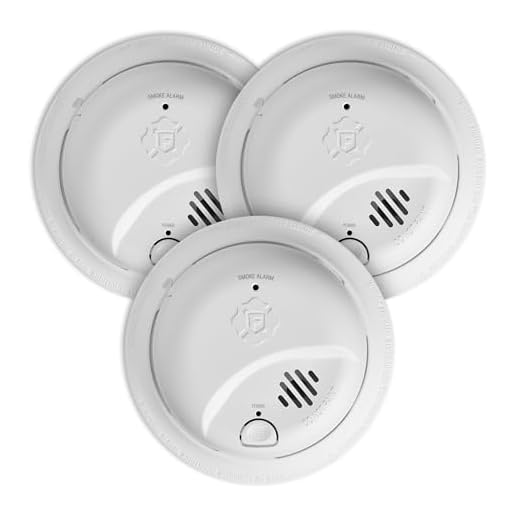
When installing a new unit, write the installation date on the back with a marker. Your future self will thank you.
Here’s a helpful video that walks you through the full troubleshooting and replacement process:
Hardwired Smoke Detectors
Hardwired smoke detectors connect directly to your home’s electrical system and usually include a backup battery. They add a layer of complexity that battery-only models don’t have.
If your hardwired detector keeps beeping, the backup battery is the first thing to check. Even though the unit draws power from your home’s wiring, that backup battery still needs periodic replacement. The chirp pattern is typically the same as a battery-only unit, one chirp every 30 to 60 seconds.
But, hardwired detectors can also beep due to electrical issues. A tripped breaker, loose wiring, or voltage fluctuations can trigger intermittent chirps. If you’ve replaced the backup battery and reset the unit but the beeping persists, check your electrical panel. Make sure the breaker controlling your smoke detectors hasn’t tripped.
Hardwired systems are often interconnected, meaning when one detector triggers, they all sound. This is great for emergencies but frustrating during false alarms. If one unit in the chain is malfunctioning, it can cause the entire system to chirp. Identify the problem unit by checking which detector has a blinking red or amber LED, then troubleshoot or replace that specific detector.
If you suspect a wiring issue beyond a simple battery swap, call a licensed electrician. Electrical problems in your smoke detector circuit aren’t a DIY job.
Tips to Prevent False Alarms and Unnecessary Beeping
Prevention beats frustration every time. A few proactive habits keep your smoke detectors quiet and functional.
First, test every detector monthly. Press the test button and confirm you hear the alarm. This takes about 10 seconds per unit and catches problems before they wake you up at midnight.
Second, clean your detectors twice a year. Dust, cobwebs, and cooking residue build up inside the sensor chamber. A quick pass with a vacuum’s brush attachment or a can of compressed air does the trick. The NFPA recommends regular cleaning as part of your home fire safety routine.
Third, replace all batteries on a set schedule, many families do it when they change their clocks for daylight saving time. This way you’re never caught off guard by a dying battery.
Fourth, pay attention to placement. Keep detectors at least 10 feet from cooking appliances. Avoid installing them near bathrooms, laundry rooms, or HVAC vents where steam and temperature changes cause false triggers.
Finally, keep a log of your detector ages. When one hits the 10-year mark, replace it immediately. Don’t wait for the end-of-life chirp.
These habits take minimal effort but dramatically reduce annoying beeps and, more importantly, keep your fire detection system reliable when it truly matters.
Frequently Asked Questions
Why does my smoke detector keep beeping even after I change the battery?
If your smoke detector keeps beeping after a battery change, it likely needs a full reset or has reached its end-of-life. Press and hold the test button for 15–20 seconds to drain residual charge, then reinsert the new battery. If chirping continues, check the manufacture date — units older than 10 years must be replaced entirely.
What does it mean when a smoke detector chirps every 30 seconds?
A single chirp every 30 to 60 seconds almost always indicates a low battery. Replace the 9V alkaline or lithium battery immediately and press the test button to confirm the detector is working. Avoid removing the battery without replacing it, as this leaves your home unprotected.
How often should smoke detectors be replaced?
The U.S. Fire Administration recommends replacing all smoke detectors every 10 years. After that, the internal sensors degrade and can no longer reliably detect smoke. Check the manufacture date on the back of your unit — if it’s past 10 years, replace it regardless of whether it seems to work.
How do I stop a hardwired smoke detector from beeping?
Start by replacing the backup battery, since hardwired detectors still rely on one. If beeping continues, turn off the circuit breaker, remove the battery, hold the test button for 15–20 seconds, then restore power. Persistent chirping may indicate a tripped breaker, loose wiring, or a unit that needs full replacement.
Can humidity or dust cause a smoke detector to beep?
Yes. Dust buildup, high humidity, steam from cooking or showers, and temperature swings near HVAC vents are common environmental triggers for false alarms and phantom chirps. Clean your detectors twice a year with a vacuum brush attachment and keep them at least 10 feet from kitchens and bathrooms to reduce nuisance beeping.
What is the difference between ionization and photoelectric smoke detectors?
Ionization detectors respond faster to fast-flaming fires but are more prone to false alarms from cooking and steam. Photoelectric detectors are better at sensing slow, smoldering fires and produce fewer nuisance alerts. For the best protection, fire safety experts recommend dual-sensor detectors that combine both technologies.
Sources:
- NFPA – Smoke Alarms in the Home
- U.S. Fire Administration – Smoke Alarms
- Consumer Product Safety Commission – Smoke Alarms
- First Alert – Smoke Detector Maintenance Tips
- Red Cross – Smoke Alarm Safety
Read More: